

It was a Tuesday afternoon in March, and I was fourteen minutes into a screen share with a client named Marcus, walking him through a set of design revisions on a Google Meet call, when my laptop's screen went black. Not slow, not laggy, just gone, like someone had pulled the plug out of the wall. I sat there for a full three seconds staring at a dead screen while Marcus's voice kept coming through my phone, which I'd left connected as a backup mic, asking if I was still there.
I run a small freelance design practice out of a spare bedroom, and client calls are the whole job. I hit the power button, watched the fan spin up loud enough to hear from across the room, and waited for the Windows logo to crawl back onscreen. Ninety seconds later I was back on the call apologizing, blaming my internet, because admitting my laptop had just overheated hard enough to force a shutdown felt worse than blaming Comcast.
That wasn't the first time it happened, either. I'd noticed the fan getting loud during long calls for a couple months before that, the kind of whirring you start tuning out because you're used to it. What I hadn't clocked was that the loud fan was the laptop's last line of defense, and once that stopped being enough, the machine just shut itself off rather than risk damaging the chip. It had happened twice before during shorter, less important calls, and I'd written both off as random glitches instead of what they actually were, a pattern.
That night I opened Task Manager and found a temperature monitoring tool, something I should have done months earlier. During a normal work session with a couple of tabs and Photoshop open, my CPU was already running in the mid-80s Celsius. Add a video call with screen share on top of that, and it was crossing 95 within twenty minutes, which I later learned is right at the edge where a laptop protects itself by cutting power entirely rather than risk permanent heat damage. My laptop wasn't broken. It was doing exactly what it was designed to do when it can't cool itself fast enough.
My laptop wasn't glitching. It was shutting itself down on purpose, and it had been warning me with a loud fan for two months before it finally did it during a client call.
One more mid-call shutdown and I'd have lost that client
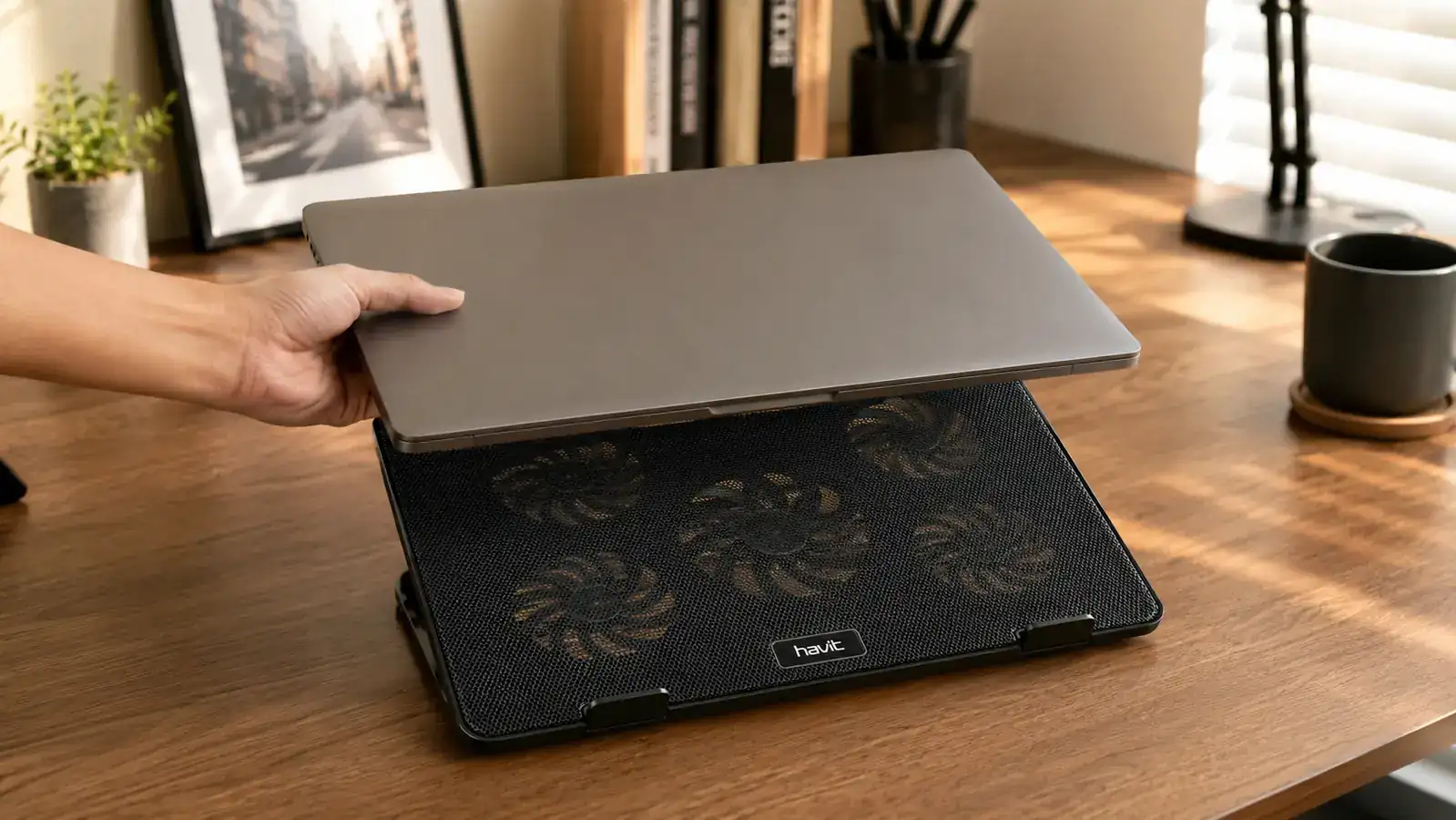
The Havit HV-F2056 cooling pad runs about 30 dollars and slides under any 15 to 17 inch laptop with three fans doing the work your laptop's own cooling can't keep up with alone. Check today's price before your next big call.
Amazon Check Today's Price on Amazon →
I spent that evening reading through reviews from other people who worked from laptops all day, and the same phrase kept showing up: cooling pad. I'd always pictured those as bulky gamer accessories with RGB lights, not something a design freelancer needed on a plain wooden desk. But the reviews describing the exact same shutdown problem I'd just had, word for word in some cases, convinced me it was worth the 30 dollars to find out. I ordered the Havit HV-F2056 that night and it showed up two days later.
Setting it up took about a minute. Plug the USB cable from the pad into my laptop's side port, flip up the two stands to angle the laptop slightly, and set the fans to medium. That was it. No software to install, no settings to configure. I ran my next call with the temperature monitor still open in the background, half expecting nothing to change.
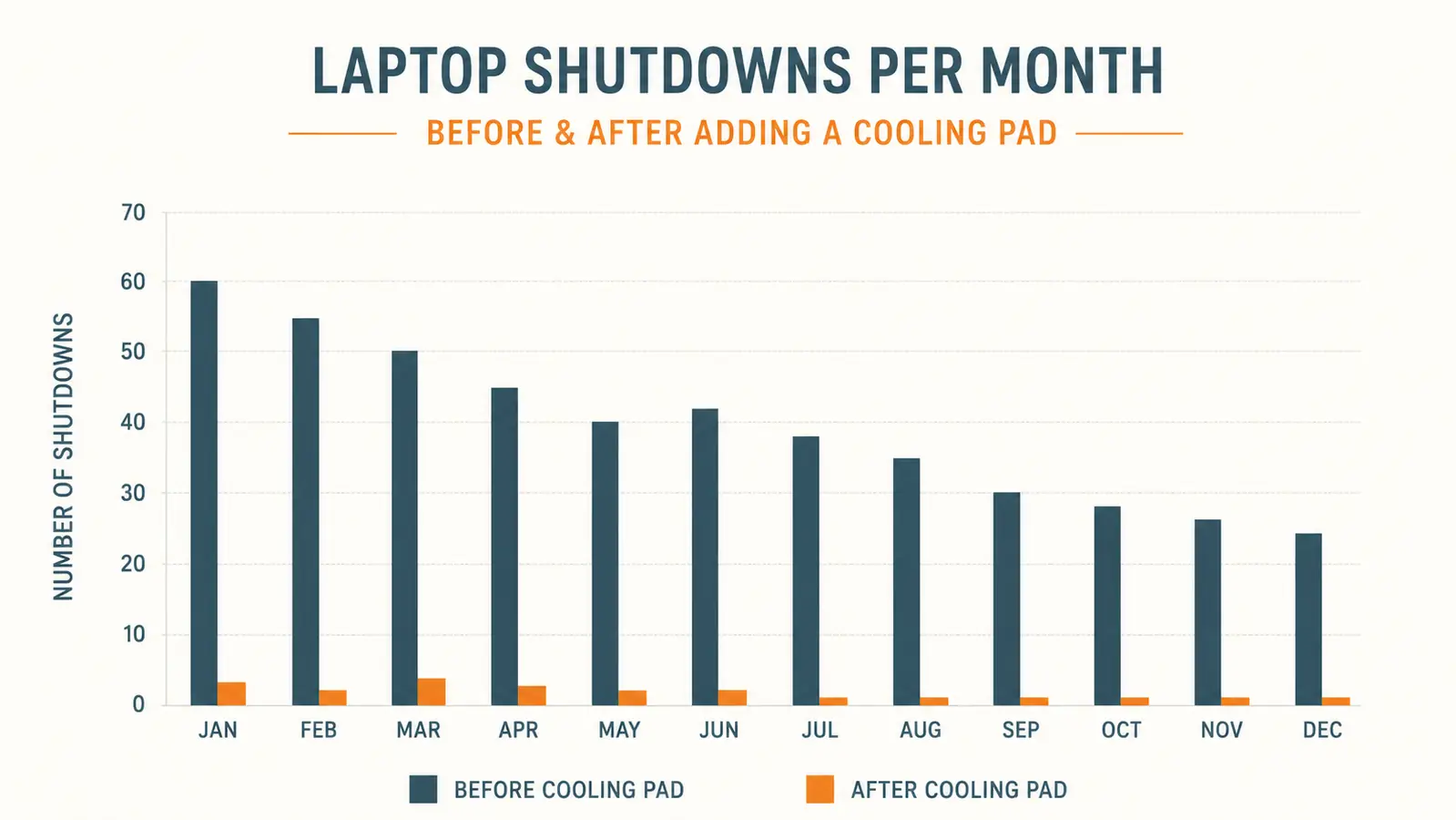
Something did change, and fast. That same call, screen share and all, topped out around 79 degrees instead of climbing past 95. No shutdown, no scare, and honestly no fan noise loud enough that Marcus or anyone else has ever mentioned it since. I've since had that same call format, screen share plus video plus a browser full of reference tabs, run for well over an hour without a single hiccup.
It's been four months now. Not one shutdown. Not one. Before the pad I was averaging two or three scary moments a month, always during the calls that mattered most, because of course that's when a laptop under the heaviest load decides to give up. Since adding it, that number has sat flat at zero, and I've stopped opening the temperature monitor out of anxiety because I already know what it's going to show.
What I'd Tell You If We Were Sitting at My Kitchen Table
If you're hearing your laptop fan get louder and louder during calls, that's not background noise you should tune out. That's the same warning I ignored for two months before mine shut down in front of a client. You don't need to wait for it to happen to you to take it seriously. A cooling pad isn't going to make a slow laptop fast or fix a machine that's actually broken, but if the problem is heat, and for most of us running a laptop eight hours a day on a desk with no airflow underneath it, it usually is, this is the cheapest, least complicated fix I've found. I wish I'd bought one the first week the fan started getting loud instead of waiting for the embarrassing wake-up call.
Don't wait for your own mid-call blackout to find out
Four months, zero shutdowns, and calls that run as long as they need to. The Havit HV-F2056 is a small, cheap way to stop finding out the hard way that your laptop's been overheating the whole time.
Amazon See Current Price and Availability →